
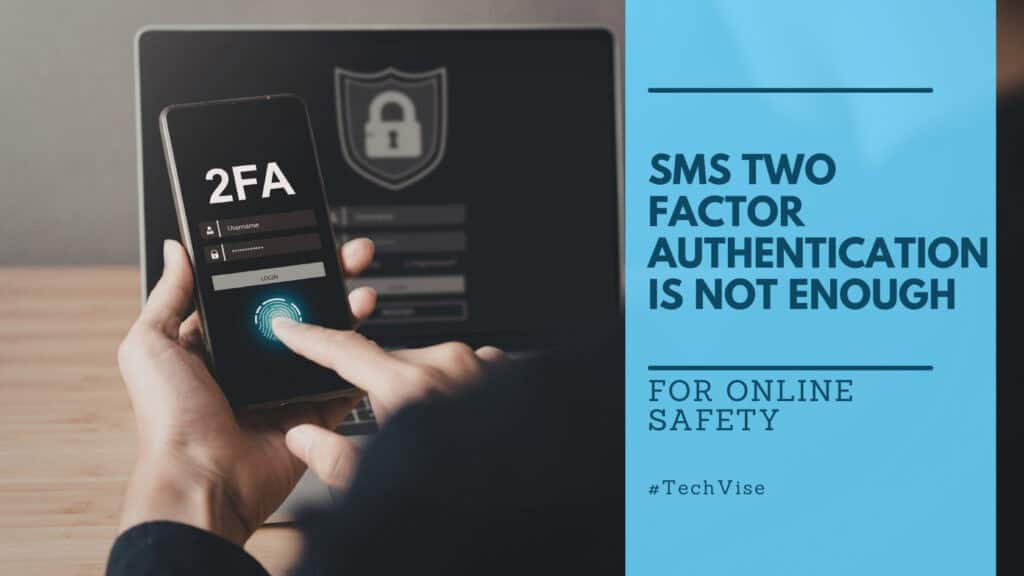
Most people who have two factor authentication enabled feel reasonably secure. They entered a password, a verification code arrived by text message, they typed it in, and they got access. The box is ticked. The account is protected.
Except it is not. Not fully. And for a growing number of people, that false sense of security is exactly what identity thieves are counting on.
Two factor authentication, sometimes called 2 step verification and often referred to more broadly as multifactor authentication or MFA, is now a baseline expectation for account security. The problem is not whether you have it enabled. The problem is which type you are using. All authentication methods are not equal. Some are genuinely strong. Others have well-documented weaknesses that attackers exploit routinely. SMS verification is the most widely used and the most vulnerable. Choosing the best authenticator app for your setup is not a minor decision. It is one of the most impactful security choices you can make for your online accounts.
Why SMS 2FA Falls Short
When you set up SMS-based two factor authentication, your account security becomes tied to your phone number. That sounds reasonable until you understand how easy it is for an attacker to take control of that number without ever touching your phone.
SIM swapping is the method. An attacker contacts your mobile carrier, impersonates you using personal details gathered from data breaches, social media profiles, or data broker databases, and convinces the carrier’s support team to transfer your number to a SIM card the attacker controls. SIM swapping exploits the identity verification process at your mobile carrier rather than attacking your device directly. Once that transfer is complete, every text message sent to your number goes to them instead of you. Every verification code for every account secured by SMS authentication becomes vulnerable to unauthorized access within minutes. Your bank. Your email. Your cloud storage. All of it.
The frightening part is not the sophistication of the attack. It is the simplicity. SIM swapping does not require technical expertise. It requires a phone call and enough personal information to sound convincing. That information is more available than most people realize, particularly after the scale of data breaches over the past several years. The identity theft piece covers how sensitive personal information circulates after a breach and why the consequences extend further than most people expect.
Beyond SIM swapping, there is a deeper technical vulnerability in the protocol that powers SMS globally. SS7, the signaling system that mobile networks use to route calls and text messages, has known security flaws that allow sophisticated attackers to intercept messages in transit. Using SMS as an authentication factor is a workaround that has outlived its usefulness.
To be clear: SMS 2FA is better than no 2FA. If it is the only option a platform offers, use it. But where alternatives exist, and for most major platforms they do, SMS should be the last choice rather than the default.
The Device-Bound Problem
This is the issue that most 2FA guides skip entirely, and it is the one most likely to affect readers who already have authentication apps set up.
Microsoft Authenticator and Apple’s native authentication system are both device-bound by default. The codes they generate are tied to the specific mobile device on which the app was installed. If that device is lost, stolen, broken, or replaced, the authentication codes go with it. There is no seamless transfer. There is no account recovery through the app itself. What follows is a scramble through account recovery processes that vary in difficulty from mildly frustrating to genuinely obstructive, particularly for accounts where the recovery email or phone number has also changed.
This creates a specific and underappreciated risk. A reader who switched from SMS 2FA to Microsoft Authenticator because they read that app-based authentication is more secure has made a real improvement. But if their phone is lost tomorrow, they may find themselves locked out of multiple accounts simultaneously with no straightforward path back in. And yes, this happens even when you make successful backups on a Microsoft account.
The same applies to Apple’s native system, which is tightly integrated with the Apple ecosystem but offers limited portability outside of it. Users who rely on Apple’s native authentication and lose access to their Apple account face a compounded recovery problem with no clean migration path if they switch platforms. Double trouble.
The solution is not to avoid authenticator apps. It is to choose ones that handle backup and recovery properly.
What to Look for in a 2FA App
Not all authenticator apps are built the same way. Before choosing one, it helps to understand the three authentication factors that security is built around.
Something you know, like a password, is called a knowledge factor. Something you have, like an authenticator app or security key, is called a possession factor. Something you are, like a fingerprint or facial recognition, is called an inherence factor. A strong authentication method combines at least two of these authentication factors. The best authenticator app setups combine a knowledge factor and a possession factor at minimum, with biometric authentication adding a third layer locally on the device.
With that foundation in place, here is what to evaluate before choosing any 2FA app.
Backup and recovery capability is the most important feature. The authentication app should allow you to back up your codes in a way that survives a lost or replaced phone. Unlike relying solely on backup codes provided at account setup, which are easily lost or forgotten, proper app-level backup means your codes travel with you securely. Without this, you are trading one vulnerability for another.
Cloud backup with end-to-end encryption means that even the company providing the app cannot read your backed-up codes. This is the standard worth insisting on. Storing backup codes in an unencrypted location carries meaningful risk.
Multi device sync means the app works across multiple devices, both Android and iOS and ideally desktop as well. If your phone is gone, accessing codes from another device immediately reduces the window of vulnerability.
Transferability means you can move your accounts to a new device cleanly when you upgrade or replace your phone. This should be a deliberate controlled process rather than an emergency scramble.
Support for TOTP codes, time-based one time passwords, is the standard protocol used by most platforms. Any authenticator app worth using should support TOTP code generation as its foundation. QR code scanning at setup is the standard method for linking accounts and should be straightforward across multiple accounts.
Biometric authentication to access the app itself, whether through facial recognition via Face ID or fingerprint via Touch ID, adds a layer of local security that prevents someone with physical access to your unlocked phone from reading your codes.
Vendor reputation and transparency matters. Authenticator apps from well-established companies with clear privacy policies and a track record of responsible data handling are preferable to lesser-known alternatives. Open source apps with publicly audited code offer an additional layer of trust for users who want to verify what the software is actually doing.
Integration with your existing privacy stack is worth considering. A standalone authenticator app is one more thing to manage. An authentication app that sits inside a tool you already use for password management reduces friction and consolidates your security setup.
Best Authenticator App Worth Using
Authy by Twilio

Twilio Authy is one of the most reliable authenticator apps available for users who want simplicity, portability, and genuine backup capability without being tied to a specific privacy ecosystem. It backs up your tokens in encrypted form, supports multi device sync across Android, iOS, and desktop, and allows clean transfer to a new device when you replace your phone. It supports TOTP codes, QR code setup, and biometric authentication to access the app. It is free, widely supported, and does not require you to adopt any other product to use it. One notable feature is Apple Watch support, which allows verification code access directly from your wrist. Unlike relying solely on backup codes provided at account setup, Authy stores your tokens in encrypted form so recovery is straightforward. For readers who want a dedicated 2FA app that solves the device-bound problem without adding complexity, Authy remains one of the strongest options in this category.
Proton Pass

Proton Pass integrates authenticator functionality directly into its password manager and email alias suite. Rather than managing a separate app for passwords and another for authentication codes, everything lives in one end-to-end encrypted environment. Backups are handled within the Proton ecosystem, codes are transferable across multiple devices, and the broader suite covers credential management, alias creation, and identity protection under one subscription. For users already using or considering Proton Mail and Proton Drive, adding Proton Pass consolidates the entire authentication and credential layer into a single privacy-first platform. The all-in-one privacy piece covers the Proton ecosystem in more detail.
ExpressKeys by ExpressVPN

ExpressKeys is ExpressVPN’s integrated password manager and authentication tool built into the ExpressVPN privacy suite. For users already on ExpressVPN, it adds authenticator functionality without requiring an additional app or subscription. It keeps credential management and two factor authentication within the same encrypted environment as your VPN connection, which is a practical consolidation for users whose primary privacy tool is already ExpressVPN.
Google Authenticator

The Google Authenticator app added cloud backup in 2023, which solved the device-bound problem that made earlier versions genuinely risky. It now supports multi device sync through your Google account, making it a more functional option than it used to be. However, enabling sync means your authentication codes are stored in your Google account. For privacy-conscious readers who have made deliberate choices to reduce their Google footprint, the sync feature is a reason to look elsewhere. For users with no particular concern about Google’s data practices, it is a usable and widely compatible authentication app.
Other Apps Worth Knowing
Several other authenticator apps have earned strong reputations in the security community. Aegis Authenticator is a free open source option for Android users that offers encrypted local backups and a clean interface. Bitwarden Authenticator is built into the Bitwarden password manager, a well-regarded open source option similar in concept to Proton Pass. Ente Auth is a newer open source option with end-to-end encrypted cloud backup that has gained significant trust among privacy-focused users. LastPass Authenticator exists within the LastPass ecosystem, though LastPass has experienced significant security incidents in recent years that have affected trust in the platform broadly. All of these apps are available through official app stores and their official websites carry documentation on setup and migration.
Duo Mobile is worth knowing about if your employer uses it for securing a Microsoft account or workplace systems. It is primarily designed for enterprise and workplace authentication rather than personal use but is widely deployed and worth understanding if you encounter it professionally.
Hardware Keys
For users who handle particularly sensitive accounts, whether professional, financial, or related to high-value personal data, physical security keys and hardware tokens represent the strongest authentication method currently available.
A security key, with YubiKey being the most widely used example alongside the Yubico Authenticator app that manages it, is a physical device that plugs into your device or taps via NFC to authenticate you. It generates a cryptographic response that cannot be phished, intercepted, or replicated remotely. Unlike app-based codes, there is no network transmission to intercept and no cloud backup to compromise. The security key itself is the possession factor, and without physical access to it, unauthorized access to your account is not possible. Hardware security keys align with zero trust security principles, where no device or user is trusted by default and every access attempt must be verified independently.
Push notification authentication, where you approve a login attempt by tapping a notification on your mobile device, is a step above SMS and is used by several enterprise MFA systems. It is more convenient than security keys but more vulnerable to prompt bombing attacks, where attackers flood a user with approval requests hoping fatigue leads to an accidental approval. For high security accounts, a security key remains more robust.
The practical limitation of security keys is that the physical device must be present at every login. Most users who adopt them purchase two hardware tokens and store the backup in a secure location.
Security keys and hardware tokens are not the right tool for everyone. For most readers managing personal online accounts, a well-chosen authenticator app with encrypted backup is sufficient. But for anyone managing accounts where the consequences of compromise would be severe, a security key is the most robust option available.
Passkeys: A Brief Note
Passkeys represent a fundamental shift in authentication methods, moving away from the password plus second factor model entirely toward cryptographic keys tied to your device and verified through biometric authentication such as facial recognition via Face ID or fingerprint via Touch ID. Major platforms have already rolled out passkey support and adoption is accelerating.
Passkeys represent the clearest path toward passwordless authentication, removing the password entirely rather than simply supplementing it with a second factor. The full picture of how passkeys work, which platforms support them, and what the transition means for everyday users deserves its own dedicated piece, which is coming. For now the practical point is that passkeys eliminate the phishing vulnerability entirely since there is no verification code to intercept and no password to steal.
Choosing the Right Tool
The best authenticator app for most readers is the one that solves the device-bound problem, backs up codes with end-to-end encryption, works across multiple devices, and fits into the privacy setup already in place.
For most readers that is Authy if you want a clean standalone solution, or Proton Pass if you are building toward a more consolidated privacy stack. ExpressKeys works well for existing ExpressVPN users. The Google Authenticator app is functional but comes with a privacy trade-off worth being conscious of. Microsoft Authenticator and Apple native authentication solve the SMS problem but introduce a fragility that becomes obvious the first time a phone is lost.
Account security is only as strong as the weakest authentication factor protecting it. SMS 2FA is a starting point, not a destination. If it is still your second factor on your most important online accounts, today is a reasonable day to change that.